

 Your own personal assistant is supposed to make life easier. Designed to let you dictate your searches instead of typing them, Google Assistant was made to accomplish just that. While talking to your phone is undoubtedly a convenient way to search for information, it’s not always practical. Fret not; Google’s tech team is working on an enhancement that will let you talk and type to your Google Assistant.
A new type of Google Assistant
Don’t be surprised when a keyboard icon pops up on your Google app one of these days. This is your cue to type in something instead of verbally dictating as you normally would. Once you tap the icon, a text field will appear for your written commands. It may not seem like the most helpful or innovative update on the app, but it presents several benefits.
This update may come in handy when you’re in meetings, when you’re too sick to speak, when you’re in a noisy and crowded venue, or if you prefer to give your assistant precisely worded instructions. If you’re not impressed with this enhancement, consider it a neat alternative that the geniuses at Google offered.
Features of “Search gestures”
Aside from the keyboard icon, a “search gesture” functionality might also be on the way. It would let plus-sized smartphone users perform Google searches right on their device’s home screen… with a simple and swift swipe. Based on recent updates from Google, this feature would provide a reprieve from having to tap the Google search bar at the top, a point of concern for users of large-screened tablets and smartphones. Regardless of what the “Search gestures” feature aims to improve, it’s probably geared at further simplifying the search function across all devices.
Google-assisted wearables
The folks at Google are also reportedly working on integrating Google Assistant on Android Wear devices. Based on the latest Google App updates, an Android Wear Assistant looks to be on the horizon for users of Android’s smartwatch. Among all the reported updates on Google Assistant, this is where speculation runs the highest. If it pushes through, Android smartwatch wearers may soon be empowered to make commands to Google Assistant at any place and at any time – even while running.
Although these updates are still in the early stages, they’re bound to benefit personal and business users once launched. Google’s efforts at pushing these small yet significant changes may mean crucial improvements for your business, too. To maximize related technology at your disposal, get in touch with us now.
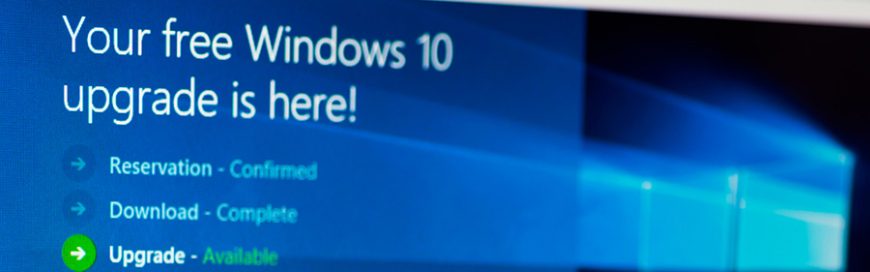 Over the past year, Microsoft received major backlash for 'forcing' the Windows 10 update as well as future updates on PC users. Fortunately, the tech leader is taking steps to address customer complaints. This article takes a look at what changes we can expect from Microsoft this coming year.
 Cyber security is something you hear about a lot these days. Sometimes it’s thrown around to scare business owners, other times it has proven to be a cautionary tale, one that small businesses can learn from to fend themselves from online threats that can leave devastating impact. What’s certain is statistics don’t lie, and as much as you’d like to believe your business is safe, the worst could happen at any time. Because antivirus software alone can only do so much to protect your business, managed services has become the solution. To make our case, here are several statistics that prove you need managed services from a technology provider.